Tutorials • Email
Activating and setting up BoxTrapper
Activating and setting up BoxTrapper in cPanel helps to block emails from unknown senders, creating an effective filter against spam.
Views 1194Updated 2 aniPublished on 02/02/2018by Cătălin A.
Introduction
This tutorial explains how to activate and set up BoxTrapper in cPanel.
- BoxTrapper is a tool that allows blocking the receipt of any email whose sender has not been previously included in the account holder's allowed address list. It acts as an email filter, allowing messages from new senders to enter the recipient's inbox only after their email address has been added as a known address. In this way, we can create a filter that allows receiving emails only from the correspondence addresses we wish, thus avoiding contact with unknown senders or spam messages.
Requirements
- a cPanel account
Steps to Follow
- after logging in to the cPanel control panel, in the interface that will be displayed, we look for the section "EMAIL ADDRESS", and there we click on "BoxTrapper"

- In the next window, the list of existing email addresses will be displayed. To set and activate the BoxTrapper filter for a specific email box, click the "Manage" button next to it

- in the next window, press the "activate" button
- all email addresses you send emails to will be automatically added to the whitelist, with no interaction from you. Since you are effectively interacting with the email address, BoxTrapper assumes that you agree to interact with it and receive emails from it, and automatically adds the respective email to the whitelist.
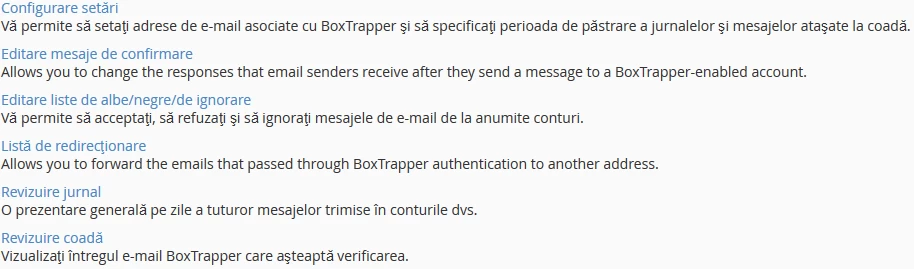
- "Configuration settings"
allows you to set email addresses associated with BoxTrapper and specify the retention period for logs and messages attached to the queue. - "Edit confirmation messages"
allows you to edit the response that will be received by addresses sending an email to an address that uses BoxTrapper. - "Editing white/black/list of ignored"
allows you to accept, reject, and ignore email messages from certain accounts. - "Redirect List"
allows you to forward an email that has passed BoxTrapper verification to another email inbox. - "Log Review"
is a daily overview of all messages sent to your accounts. - "Review queue"
view the emails caught in BoxTrapper that are awaiting verification.