Winter Sale — Choose a hosting or VPS plan now with discounts of up to 40%activate now
TutorialsWebuzo

Network Tools in the Webuzo panel

Find out how to use the network tools in the Webuzo panel for Domain Lookup and Trace Route. Step-by-step tutorial for managing domains and subdomains.

4
Views 619Updated 10 luniPublished on 14/09/2017by Alexandru Rogojan

Introduction

  • In this tutorial, we present how to use the network tools (Network Tools) from the Webuzo admin panel.

Requirements 

  • a Webuzo account

Steps

  • After logging in to the Webuzo control panel, we will go to the Domain section and click on Network Tools.

Network tools webuzo

  • After accessing "Network Tools", the window below will open and we will be able to perform Domain Lookup and Trace Route queries for the domains or subdomains entered in the form.
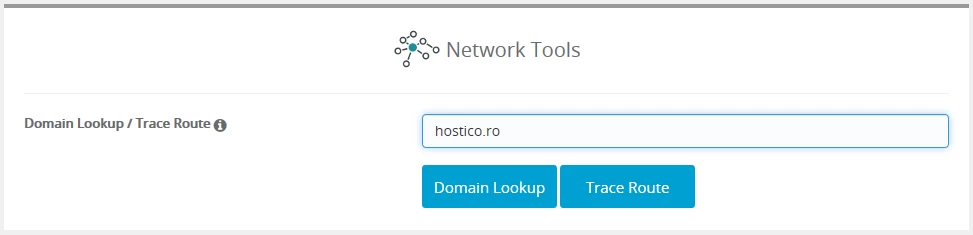
Domain lookup/trace route

  1. Using Domain Lookup, general information (server, IP, dns zones, etc.) related to the domain entered in the form above will be displayed.
  2. Trace Route is a very useful tool, it can check the route from the server to a domain or IP. It will display the entire route from the server to the destination completed in the form above.


Similar Articles

DNS settings in the Webuzo panelTutorials /Webuzo

Learn how to edit and set DNS records in the Webuzo panel. Follow the steps to effectively manage domains and subdomains.

48
by Alexandru Rogojan
Views 2253
Updated 10 months ago
Published on 14/09/2017
SSH settings in WebuzoTutorials /Webuzo

In this tutorial, learn how to block SSH access on the Webuzo server by enabling the connection and configuring the necessary port.

20
by Alexandru Rogojan
Views 1011
Updated 10 months ago
Published on 12/06/2018
Creating and setting up custom nameservers in the ROTLD panelTutorials /Domains

This article will describe the necessary steps for creating custom nameservers and the method for setting or updating these nameservers on a domain.

12
by Sebastian Szlivka
Views 6091
Updated 3 months ago
Published on 06/02/2018
Blocking or password-protecting a directory in WebuzoTutorials /Webuzo

Learn how to block or password-protect a directory in Webuzo, with simple steps to secure your data. Follow the instructions in the tutorial!

7
by Alexandru Rogojan
Views 697
Updated 10 months ago
Published on 12/06/2018
Installing the SSL certificate in the Webuzo panelTutorials /Webuzo

Learn how to install an SSL certificate in the Webuzo panel, step by step. Follow our instructions for a quick and efficient installation.

6
by Alexandru Jurca
Views 1049
Updated 10 months ago
Published on 01/08/2017