Tutorials • Email
SpamExperts presentation and usage
SpamExperts offers an effective anti-spam filtering solution, protecting emails with an accuracy of 99.98%. Learn how to configure and use it effectively!
Views 2523Updated 1 anPublished on 16/03/2020by Florin P.
Introduction
- SpamExperts is an advanced anti-spam and email filtering solution. It uses specially designed mechanisms to avoid false detections, complex self-learning systems, and spam pattern recognition mechanisms. SpamExperts scans all received emails for viruses, spam, phishing, and botnets, achieving an accuracy of 99.98%. The filter activates at the domain level and protects all email accounts, regardless of the number of them.
Requirements
- Access to the cPanel account, username and password.
- Access to the SpamExperts account: https://login.antispamcloud.com/index.php, username and password.
Steps
- The first step is to configure the SpamExperts MX records for the attached domain. Follow the tutorial Change MX.
mx.spamexperts.com (priority 10)
fallbackmx.spamexperts.eu (priority 20)
lastmx.spamexperts.net (priority 30)

- After changing the MX records, set Email Routing in your cPanel account to the Local Mail Exchanger option.
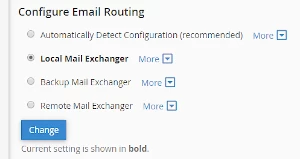
- Once the MX records are modified, the domain is connected to the SpamExperts system. All received emails are filtered to protect all email accounts associated with the domain.
- SpamExperts can be used immediately, without any additional settings required.
Authentication in the SpamExperts panel
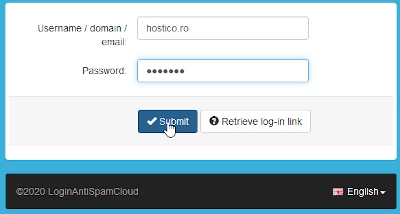
- Access the address https://login.antispamcloud.com/index.php in your browser.
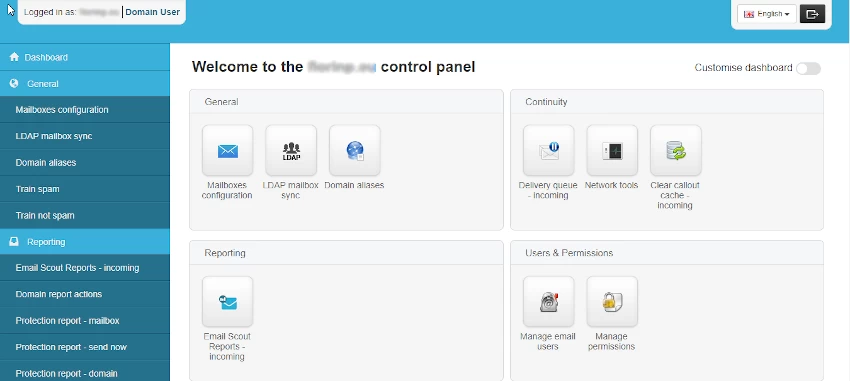
- The SpamExperts panel is structured in the following sections:
- General
- Continuity
- Reporting
- Users & Permissions
- Incoming
- Incoming - Protection Settings
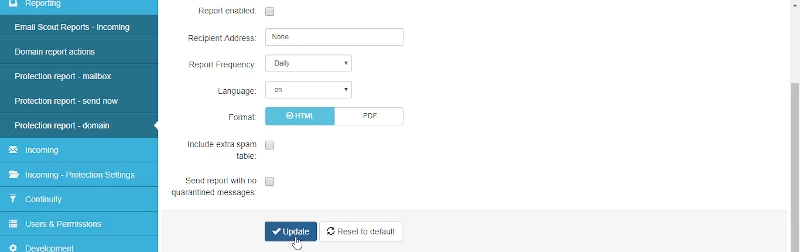
Additional settings
- General > Mailbox configuration > Mailboxes > + Add Mailbox: Manually add email accounts to customize filtering settings.
- General > Train spam: Upload spam emails in .eml or .msg format to train the anti-spam system.
- General > Train not spam: Upload emails that are not spam to improve the anti-spam filter.
Other useful sections
- Incoming > Logs > Log search: Search emails based on criteria such as sender, recipient, or IP address.
- Incoming > Spam quarantine: Manage blocked or suspicious emails by filtering, deleting, or adding senders to the whitelist/blacklist.
- Incoming Protection Settings > Filter settings: Configure the anti-spam filters and enable/disable quarantine.
- Continuity > Delivery queue incoming: Monitor the pending emails when the recipient server is unavailable.